

Short, practical explainers for avionics features and cockpit tools pilots may not use every day.
During a recent IFR currency flight, I planned to fly a full approach including the missed approach procedure. As I was setting up in a Cessna 172 equipped with a Garmin GTN 650Xi and GFC 500, I caught myself second-guessing one specific thing: when I press TOGA, does the autopilot immediately start turning to fly the missed approach course, or does it hold wings level while I climb out first?
That kind of hesitation — on a detail I technically knew but couldn’t instantly recall — is exactly the wrong thing to have during a missed approach. So I went back to basics. This post is the result, and the first in a new Slingology series called Cockpit Refreshers: brief, practical notes on avionics features and cockpit tools that are useful to revisit from time to time, especially the ones you don’t reach for every flight.
What the TOGA Button Does
TOGA stands for Takeoff / Go-Around. Pressing the button immediately transitions the aircraft from landing guidance to climb guidance.
When pressed during an approach, the autopilot and flight director will:
Pitch mode
- Enter GA (Go-Around) pitch mode
- Command a fixed nose-up pitch attitude (typically 7–10°)
Roll mode
- Revert to ROL (wings level)
Autopilot/Director modes
- Cancel APR mode
- Cancel glideslope or glidepath capture
- Activate the missed approach sequence in the navigator — equivalent to pressing the Activate Missed Approach prompt on the GTN
It is equally important to understand what TOGA does not do. It does not add power, retract flaps, or clean up the aircraft. It also does not engage NAV mode to fly the missed approach course. Those tasks remain the pilot’s responsibility.
Reference: All GFC 500 behavior described in this post is documented in the official GFC 500 Autopilot Pilot’s Guide (Garmin part no. 190-02291-07). Because Garmin periodically revisions these documents, linking directly to the PDF can go stale — the most reliable way to get the current version is to search for “GFC 500 pilot’s guide” on Garmin’s support site. Section 4 covers autopilot modes including Go Around, and Section 2 (Limitations) is where the 800-foot AGL engagement minimum lives.
Why TOGA Uses a Fixed Pitch Attitude
Pilots flying the GFC 500 are typically used to two vertical modes:
| Mode | What It Controls |
|---|---|
| IAS | Holds a target airspeed |
| VS | Holds a vertical speed |
TOGA uses neither. Instead, it commands a fixed pitch attitude — and that choice is deliberate.
At the moment of a missed approach, the aircraft may be slow, configured with flaps, and close to the ground. Commanding an immediate IAS or VS target could produce large, abrupt pitch changes at exactly the moment the pilot is adding power and cleaning up the aircraft. A fixed pitch attitude gives a stable, predictable initial climb — one less variable to manage during a high-workload moment.
Once the aircraft is climbing and the configuration is under control, the pilot transitions to a more conventional vertical mode such as IAS climb.
Typical Missed Approach Flow Using TOGA
Putting it all together, a typical missed approach might look like this:
- Throttle — full power
- Press TOGA
- Verify GA | ROL annunciation on the flight mode annunciator
- Establish a positive climb
- Talk — advise ATC on missed approach
- Retract flaps incrementally per the POH
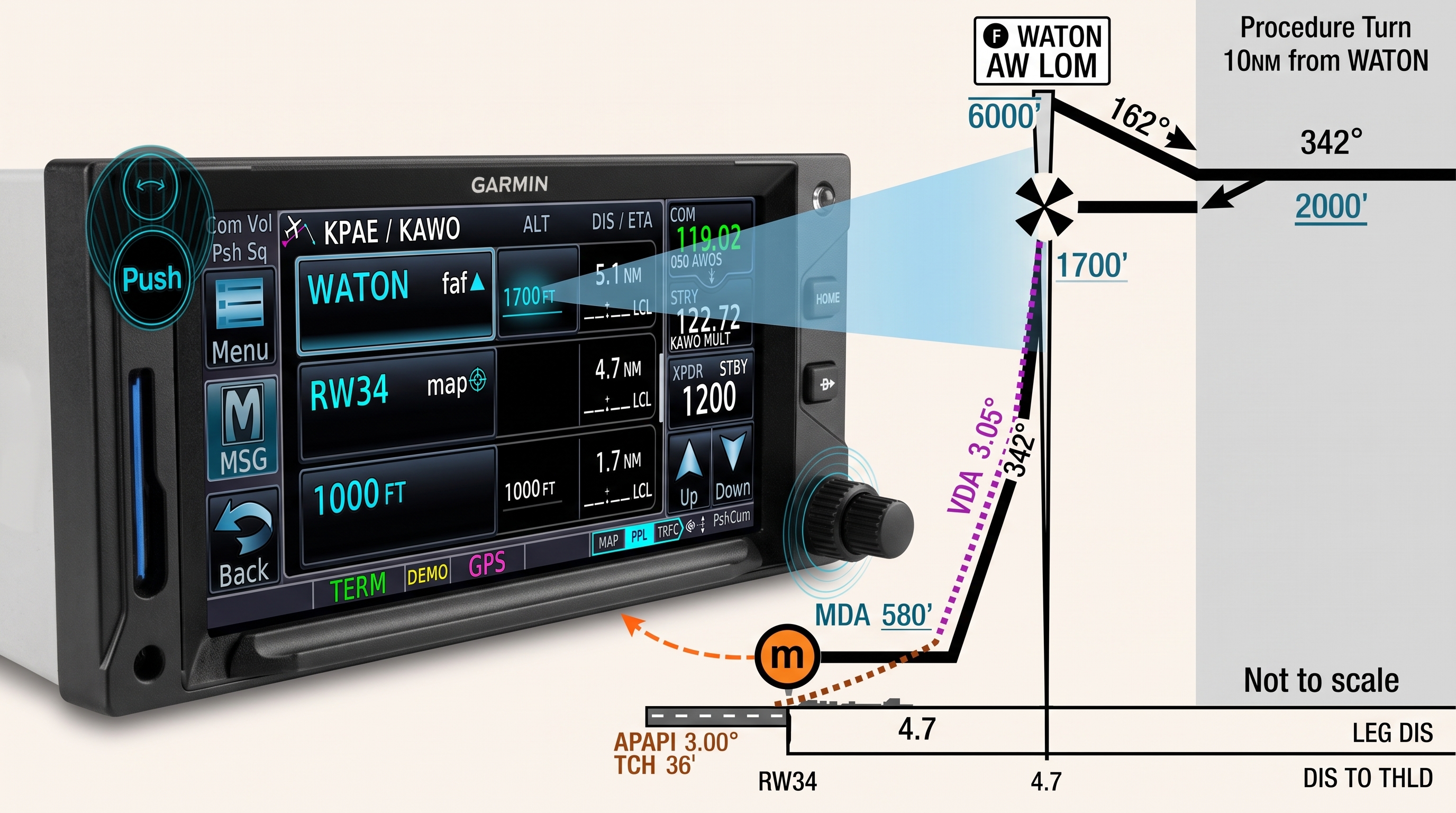
- Set autopilot to the next missed approach procedure altitude (this can also be done after the FAF has been reached)
- Press NAV when ready to track the missed approach
- Transition to IAS climb mode
- Continue flying the published missed approach procedure
One detail worth calling out explicitly: pressing TOGA activates the missed approach in the navigator, but the autopilot initially holds ROL — wings level — rather than immediately turning to fly the course. This is intentional. Turning close to the ground before a stable climb is established is not where you want to be. Once you’re climbing cleanly, pressing NAV couples the autopilot to the missed approach route and the turn begins.
This is the detail I had fuzzed on. Now it’s written down.
Using TOGA During Takeoff
The TOGA button has a second use: it can be pressed before or during the takeoff roll to activate the flight director with climb guidance. After liftoff, the pilot follows the director guidance and engages navigation modes as appropriate once established in the climb.
One important limitation to be aware of: the GFC 500 STC prohibits engaging the autopilot below 800 feet AGL, except during an approach where it may be used down to 200 feet AGL. TOGA activates the flight director freely — you can follow the command bars from liftoff — but the AP button itself should not be pressed until you’re above that 800-foot threshold with the aircraft cleaned up.
In practice the flow looks like this: full power, TOGA, follow the command bars while hand-flying the climb, then at 800 feet AGL (field elevation plus 800) with flaps up and the aircraft trimmed, press AP to engage the autopilot. Many GA pilots simply hand-fly departures and engage the autopilot later anyway, but if you’re departing into a low overcast, using the flight director below 800 feet and coupling the autopilot right at the threshold is a clean and disciplined habit to build.
Have a avionics feature or cockpit tool you’d like to see covered in a future Cockpit Refresher? Leave a comment with your suggestion.



Leave a Reply