
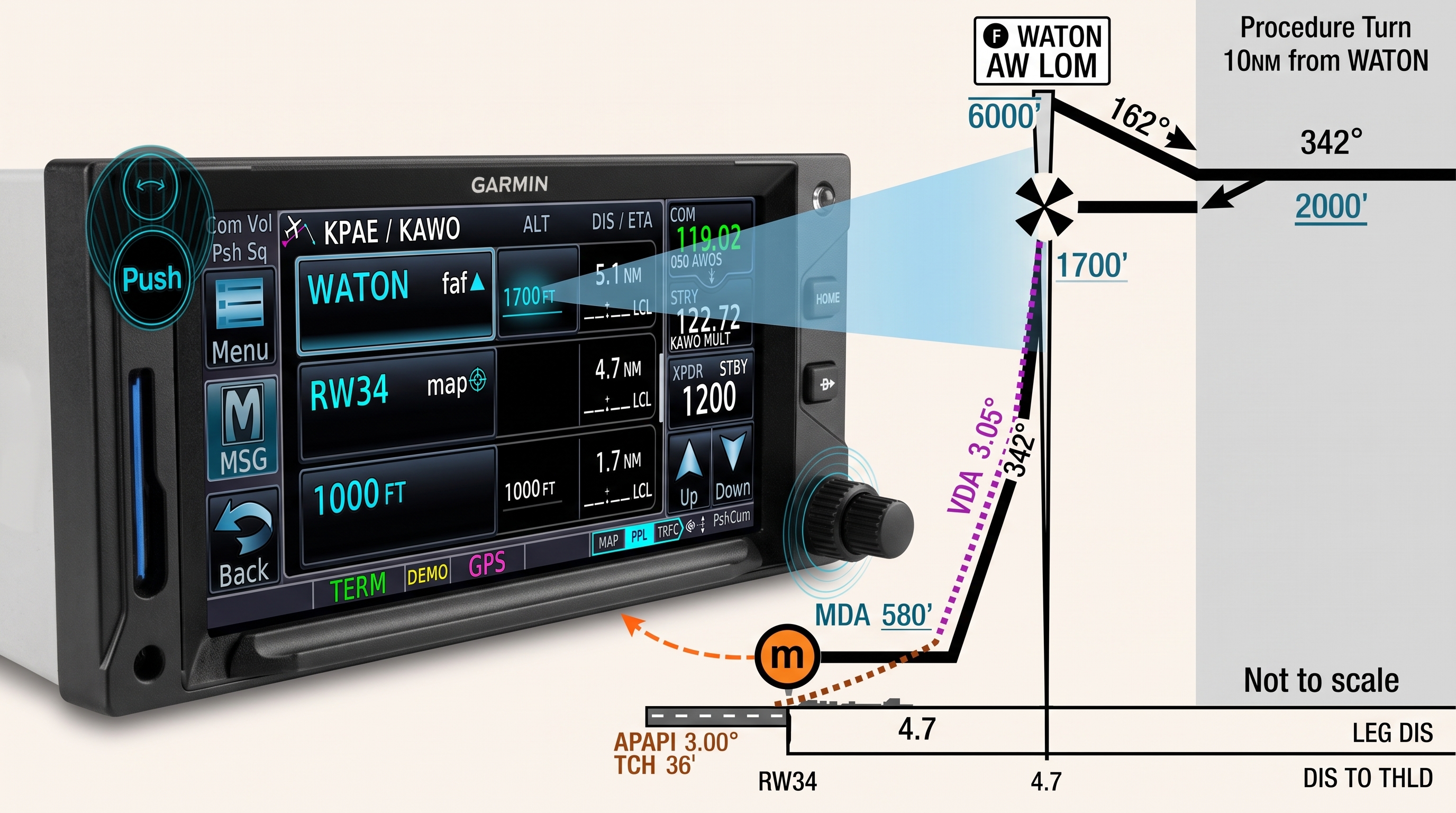
VNAV means something different depending on which Garmin box is doing the drawing. G3X Touch on its own only manages one waypoint at a time — cross it, reset. The GTN runs what Garmin calls Enhanced Descent VNAV: a single continuous path drawn through every altitude constraint in your flight plan, computed from a baro-corrected source rather than GPS altitude. That’s the version this refresher covers, coupled to a GFC 507 (or 500).
The same descent logic serves two different flights. A VFR pilot uses it to plan a stabilized descent from cruise into the pattern. An IFR pilot uses it to fly down through step-down constraints to the final approach fix — where VNAV hands off entirely to approach vertical guidance. Same three-step procedure, same symbology, two different endpoints. Both are covered below.
This build runs G3X Touch, GTN 650, and GFC 507, but the underlying VNAV logic lives on the GTN itself — it works the same way regardless of which Garmin display or autopilot is downstream of it. Where a different screen or autopilot changes what you’ll actually see or do, that gets called out in a sidebar rather than buried in the main flow of this post.
Most of what follows comes from Garmin’s own VNAV training webinar, which is worth watching in full if you want the complete picture beyond this quick-reference version.
What You Need
Three pieces, each unlocking one layer of capability. This build runs G3X Touch, GTN 650, and GFC 507 — the most common stack for experimental installs — so that’s the baseline below.
☐ Baro-corrected altitude source → VNAV exists on the GTN at all. On a Sling with G3X/GFC 507, this comes from the GSU 25 ADAHRS feeding the G3X.
☐ A Garmin display (G3X Touch, in this build) → the vertical deviation indicator (VDI) becomes visible on the PFD.
☐ GFC 500 or GFC 600 (GFC 507 in experimental installations — same autopilot logic, different certification category) → the autopilot can couple to and fly the VNAV path directly.
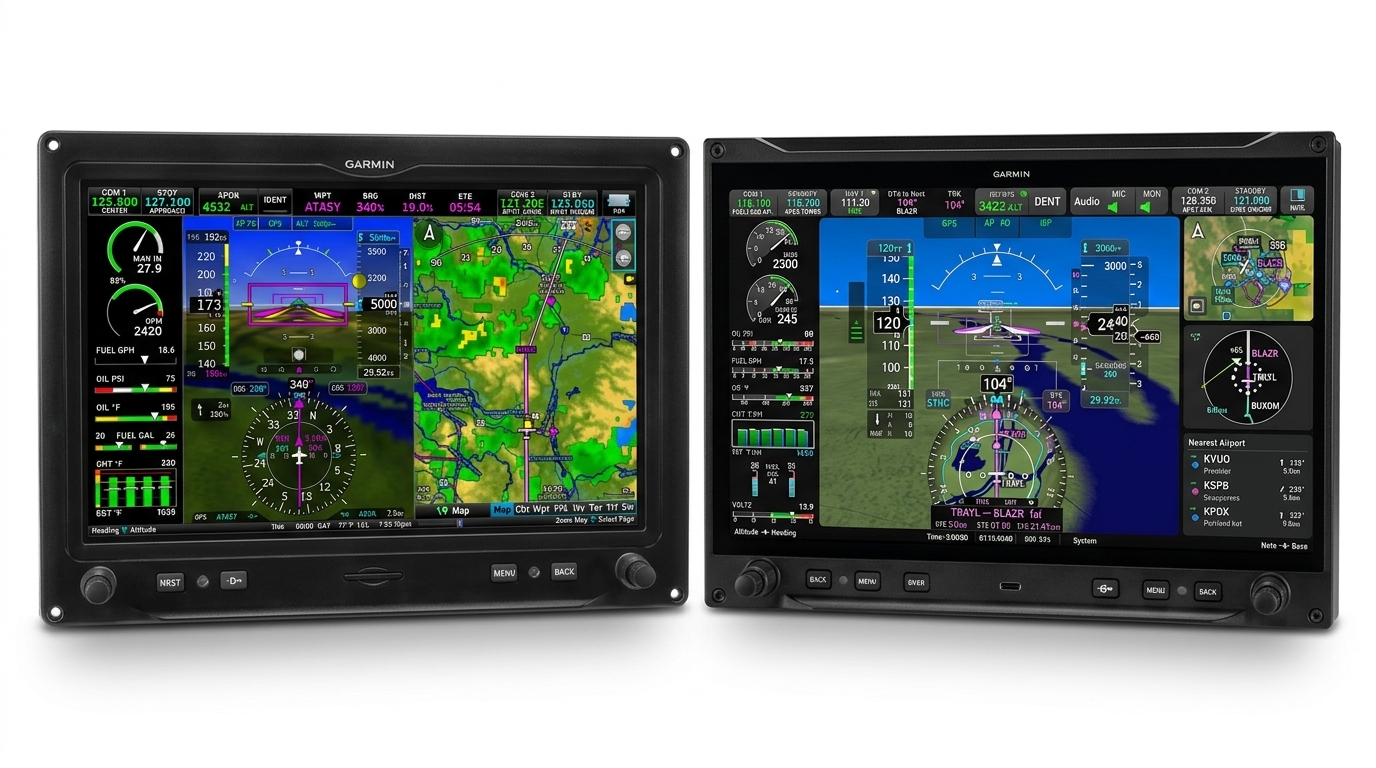
Garmin displays supporting the VDI also include G500/G600, TXi, G5, and GI 275. Non-Garmin autopilots can still use VNAV data (time-to-TOD and vertical speed required as reference), they just can’t couple to the path directly — you fly the vertical speed target manually. If you’re not running G3X/GFC 507, the underlying GTN logic below still applies; only the display and coupling behavior change.
If you’ve got GTN, GFC 507, and G3X all present, you get the full stack: VNAV computed, VDI displayed, path flown by the autopilot. That’s the baseline this refresher assumes going forward.
The 3-Step Procedure
Every VNAV descent — VFR or IFR — comes down to the same three actions, in order. This is the block to screenshot for your kneeboard.
☐ 1. Confirm or input altitude constraints. Loaded a STAR or approach? The GTN pulls constraints from the database automatically — verify them against the actual chart before trusting them. Building your own descent? Tap the altitude block next to any waypoint and set it manually.
☐ 2. Set the altitude selector to your lowest assigned or desired altitude. This tells the GFC 507 where the floor is — VNAV won’t take you below it.
☐ 3. Arm VNAV. On GFC 507, there’s no time limit on arming early — arm it as soon as you like once altitude constraints are set. The flight director’s GPS mode must already be active for VNAV to arm at all.


Symbology Quick-Reference
Altitude constraints in the GTN flight plan are color- and icon-coded. This is the “glance at it and know” table — worth keeping visible on a kneeboard or second monitor while flying.
| Symbol | Meaning |
|---|---|
| White text | Reference only — pulled from the database (procedure), but VNAV is not using it to compute the path. Common on departure procedures, since this is descent-only VNAV and won’t calculate a climb. |
| Cyan text | Active — VNAV is using this constraint to draw the path and will cross you at that altitude. |
| Pencil icon | You manually entered or edited this constraint. |
| X | Invalid — VNAV can’t comply. See sidebar below for why. |
| At / At-or-above / At-or-below / Between | Same symbology as approach, arrival, and departure plates — no new notation to learn. |
An X shows up for one of a few reasons: the constraint requires a climb (this is descent-only VNAV); the required descent exceeds a 6° flight path angle or 4,000 fpm; your top of descent has already passed behind your present position; the leg type doesn’t support altitude constraints (off-route Direct-To, heading legs); or the constraint sits past the final approach fix, which VNAV doesn’t reach. Most of these clear themselves with a VNAV Direct-To recompute from present position — see the VFR scenario below.
Flying It: Two Scenarios
Same three-step procedure, same GFC 507 coupling — different endpoints.
VFR — Descent to Pattern Altitude
- Set an altitude constraint on the destination airport waypoint. Enter it in AGL — the GTN converts to MSL automatically.
- Set the altitude selector to pattern altitude.
- Arm VNAV.
There’s no procedure loaded here, so no FAF, no handoff — the path runs straight to your pattern-altitude constraint and stops. From there you’re flying yourself in visually.
A very common variation: rather than putting the constraint right on the airport, use the GTN’s along-track offset to create a temporary waypoint a few miles prior — say 5 miles out — and put the pattern-altitude constraint there instead. This gives VNAV room to level you off before you’re in the pattern, rather than having the descent end exactly at the airport itself.
Two situations call for VNAV Direct-To specifically: starting the descent early, at your discretion, before the computed TOD arrives — Direct-To places a new TOD one minute ahead, giving you time to set the altitude selector and arm; and recovering a descent after you’ve blown through the actual TOD — checklist, distraction, ATC call, whatever pulled your attention. Outside those two cases, there’s no particular reason to reach for it on a routine pattern descent.


IFR — Descent to the Final Approach Fix
This procedure picks up once you’re cleared for the approach and established on GPS lateral guidance — either flying the published procedure, or on vectors-to-final once you’ve intercepted the course. Before that, on vectors, you’re just flying ATC’s assigned altitudes via VS/ALT, same as any other IFR descent; VNAV isn’t part of the picture until GPS lateral mode is active.
- Confirm or set altitude constraints along your route to the FAF — pulled automatically if flying a published procedure, or set manually if building the descent yourself.
- Set the altitude selector to the FAF altitude or DA/MDA — either works. VNAV’s descent to the FAF is governed by the flight-plan constraints, not the bug; the bug is only a floor, so it just needs to be at or below whatever VNAV needs to cross along the way.
- Arm VNAV.
- Arm APR once VNAV is active and already descending — not before. Arming APR while VNAV is still just armed (not yet flying the path) bumps VNAV off.
VNAV flies the path through every step-down constraint in the procedure and terminates at the FAF — full stop. There’s no flight-plan altitude constraint past that point for VNAV to compute against, so what happens next depends on whether the approach has vertical guidance.
With vertical guidance (LPV, LNAV+V, ILS): as you cross the FAF and intercept the glidepath or glideslope, APR mode captures automatically — the VNAV cue drops off the PFD, replaced by a magenta GP or green GS diamond, and the autopilot flies the coupled descent from there; APR follows the glidepath itself and doesn’t rely on the altitude bug. After crossing the FAF, many pilots reset the altitude bug to the missed approach procedure altitude, so the autopilot is already prepared to fly the missed approach’s lateral and vertical profile if needed.
Without vertical guidance (VOR, LOC, or LNAV with no advisory glidepath): there’s no glidepath for APR to capture, so you don’t arm it — NAV mode handles lateral tracking instead, and the vertical descent from the FAF is flown manually. Some non-precision approaches have one or more stepdown fixes between the FAF and the missed approach point; many have none at all, going straight from the FAF crossing altitude to MDA.

Modern GTN software keeps every waypoint on the final approach course in the flight plan even with vectors-to-final selected — so every step-down constraint in the procedure, not just the FAF, is still there for VNAV to compute against while ATC is vectoring you. Arm VNAV once established on a lateral GPS mode; it won’t go active until you intercept the approach course. At that point: if the current segment’s TOD is still ahead of you, VNAV picks up and flies the path through the remaining constraints as planned. If the TOD for that segment has already passed behind your position — common when vectors keep you high or wide — that segment invalidates, and you either hit VNAV Direct-To to recompute from where you are, or hand-fly down to the next step-down and let VNAV pick up from there.
Gotchas & Limitations
Quick-scan checklist for the failure modes you’ll actually run into:
☐ Climb constraints show X. This is descent-only VNAV. If a constraint requires climbing, it’s invalid — no exceptions.
☐ Steep constraints show X. Exceeding a 6° flight path angle or 4,000 fpm invalidates the constraint. Rare, but happens on tight step-downs.
☐ TOD behind you = invalid. If you build a profile and the computed top of descent has already passed, VNAV won’t capture. Recompute with VNAV Direct-To from present position.
☐ Some leg types don’t support constraints. Off-route Direct-To and heading legs give VNAV nothing to calculate against — no altitude guidance on those segments.
☐ Nothing past the FAF. Constraints entered beyond the final approach fix show white — reference only. VNAV terminates at the FAF, full stop; approach vertical guidance takes over from there.
☐ VNAV and APR can’t arm together on GFC 507. Arm APR while VNAV is still just armed (not yet flying the path), and APR bumps VNAV off. If VNAV is already active and descending when you arm APR, the handoff is clean.
☐ Jet altitudes on piston procedures. Loaded arrivals/approaches sometimes default to a jet-category altitude when a separate piston minimum exists. Always check the actual chart before trusting a database constraint.
☐ FD must be in GPS mode before VNAV can arm. If HDG or another lateral mode is active, VNAV won’t be selectable — switch to GPS mode first.
Wrapping Up
The GTN’s enhanced descent VNAV does one thing well: it turns a flight plan full of altitude constraints into a single flyable path, and hands you a coupled autopilot to fly it. The three-step procedure — confirm constraints, set the altitude selector, arm VNAV — doesn’t change whether you’re descending into a pattern or down through a step-down approach. What changes is the endpoint: a pattern-altitude constraint you set yourself, or a final approach fix where VNAV terminates and approach guidance takes over.
The GFC 507’s one real quirk — VNAV and APR can’t be armed together — is easy to work around once you know the sequence: arm VNAV, let it capture and start descending, then arm APR.


Leave a Reply